CoDesigner vs ShopLentor (WooLentor): Which Elementor WooCommerce Builder Wins in 2026?

Share this content
Copy Link
Share



Design WooCommerce Stores That Convert
-
100+ Widgets
-
15+ Modules
-
150+ Templates
-
At Your Service
Follow us on:


WooCommerce and Elementor are both excellent tools. While they work together out of the box, the integration isn’t as seamless as many store owners expect. That’s why product pages stay generic. The checkout stays rigid. And transactional emails look like they came from a decade ago.
That is the gap both CoDesigner and ShopLentor (formerly WooLentor) set out to close. Each one, however, takes a different route to get there.
Before diving into the comparison, one thing is worth flagging upfront. Some online comparison pages present outdated data about CoDesigner, listing 83 widgets, 30 templates, and even marking modules as non-existent. The current official numbers from CoDesigner’s own site are 102+ widgets, 150+ templates, and 14+ modules. That distinction matters when you’re making a real purchasing decision.
CoDesigner vs ShopLentor (WooLentor) at a Glance
You will get a complete overview of CoDesigner and ShopLentor in this table. Let’s take a look at them carefully.
| Feature | CoDesigner | ShopLentor |
| Elementor Support | Yes | Yes |
| Gutenberg Support | No | Yes |
| Works with Free Elementor | Yes | Yes |
| Total Widgets | 102+ | 120+ |
| Total Modules | 15 | 36+ |
| Templates | 150+ | 110+ |
| Email Designer | Native Elementor canvas | Native Elementor canvas |
| Pricing Tables Built-In | Yes (free + pro) | No |
| Invoice Builder | Yes | No |
| Pre-Order Module | Yes | No |
| Backorder Module | Yes | No |
| Variation Swatches | Yes | Yes |
| Cross-Site Copy/Paste | Yes | No |
| Starting Price | $49.99/year | $99/year |
| Lifetime Deal | Yes | No |
| Money-Back Guarantee | 30 days | Not stated |
What CoDesigner and Shoplentor are Built to Do
What is CoDesigner?
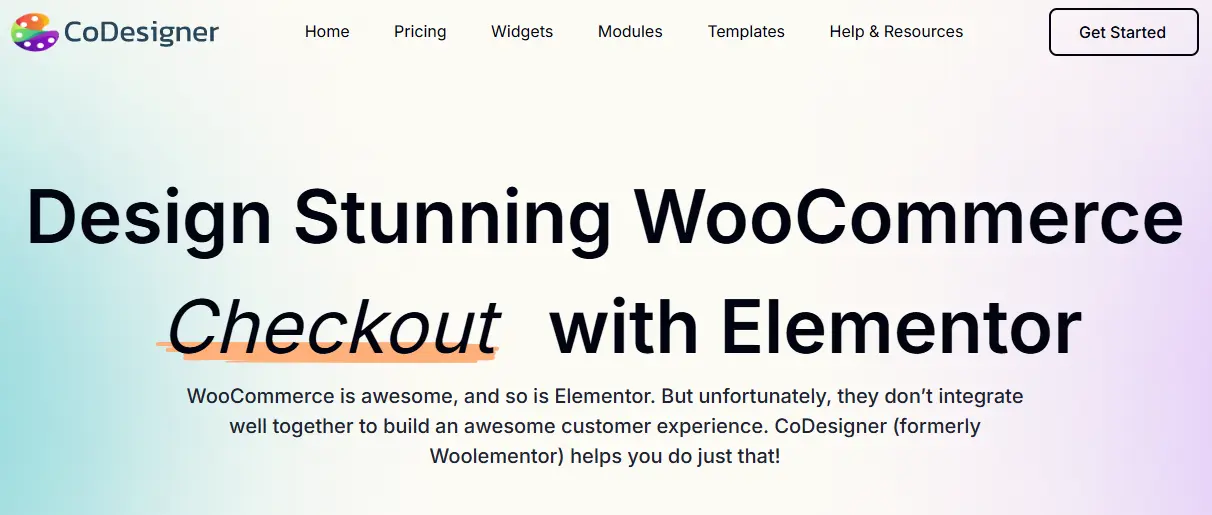
CoDesigner is a WooCommerce builder built natively for Elementor. Developed by Codexpert, it connects Elementor’s page-building strengths with WooCommerce’s commerce layer. Store owners get full drag-and-drop control over every key store page: shop, product, cart, checkout, email, Thank You, and My Account.
It ships with
split across 130+ section templates and 24+ page templates. The plugin has surpassed 800,000 total downloads and holds over 125+ five-star reviews. Both free and pro tiers are available, backed by a 30-day money-back guarantee. It works with the free version of Elementor, so no Elementor Pro is required.
What is ShopLentor (WooLentor)?
ShopLentor, formerly WooLentor, is a WooCommerce builder by HasThemes. Its defining structural advantage is dual-editor support. It works with both Elementor and Gutenberg.
It offers 129+ Elementor widgets, 85+ Gutenberg blocks, 37+ modules, and 110+ templates. Like CoDesigner, it works with the free version of Elementor. Since the WooLentor rebrand, its feature list has grown to include marketing-adjacent tools: pop-up builders, email automation, and Google Tag Manager integration.
Core Difference
ShopLentor is built for breadth. More editors, more widgets, more modules. CoDesigner is built for depth. Every feature is designed around the Elementor workflow, and that focus shows in how the plugin operates day to day.
For stores fully committed to Elementor, features they will never use are not an advantage. They are weight.
Feature-by-Feature Comparison
In the following sections, we’ll explore a feature-by-feature comparison to help you evaluate both options more effectively. Let’s dive in.
Widget Library
| Metric | CoDesigner | ShopLentor |
| Total Elementor Widgets | 102+ | 129+ |
| Gutenberg Blocks | No | 85+ |
| Customer Review | Yes | No |
| Related Products | Yes | No |
| Layout Switcher | Yes | No |
| Pricing Table Widgets | Yes | No |
| Product Barcode Widget | Yes | No |
| Ask for Price Widget | Yes | No |
| Distinct Shop Layout | 14 | Multiple |
ShopLentor wins on raw widget count. CoDesigner covers territory other builders ignore entirely. Pricing table widgets are absent from most competing plugins. CoDesigner includes multiple styles in both free and pro tiers, removing the need for a separate plugin on any store selling tiered products, service packages, or memberships.
The Product Barcode and Ask for Price widgets serve specific but common needs. Stores selling physical goods, wholesale products, or custom-quoted items use both regularly.
ShopLentor doesn’t address either. These aren’t edge features. They reflect the kind of WooCommerce product page mistakes stores make when they pick a builder without checking full coverage.
Modules and Store Functionality
| Module | CoDesigner | ShopLentor |
| Currency Switcher | Yes | Yes |
| Variation Swatches | Yes | Yes |
| Wishlist | Yes | Yes |
| Pre-Order | Yes | Yes (Pro) |
| Backorder Management | Yes | Yes (Pro) |
| Flash Sale / Countdown | Yes | Yes |
| Invoice Builder | Yes | No |
| Bulk Purchase Discount | Yes | No |
| Skip Cart | Yes | No |
| Product Brands | Yes | No |
| Abandoned Cart | No | Yes (Pro) |
| Order Bump | No | Yes (Pro) |
| Popup Builder | Yes | Yes |
CoDesigner’s 15 modules focus on features that directly affect store revenue: Invoice Builder for B2B operations, Bulk Purchase Discount for quantity pricing, and Pre-Order plus Backorder for stock management.
ShopLentor adds marketing-adjacent modules (Abandoned Cart recovery, Order Bump, Popup Builder) that most stores handle through dedicated tools. Both are valid approaches. The difference is what each plugin considers core to a WooCommerce operation.
For a broader view of how these modules fit into a WooCommerce upselling and cross-selling strategy, module selection is one piece of a larger picture.
Templates and Page Building
| Template Type | CoDesigner | ShopLentor |
| Shop / Archive | Yes | Yes |
| Section / Landing Page | Yes | No |
| Single Product | Yes | Yes |
| Cart | Yes | Yes |
| Filter | Yes | No |
| Checkout | Yes | Yes |
| My Account | Yes | Yes |
| Pricing Table | Yes | No |
| Thank You | Yes | Yes |
| Yes | Yes | |
| Quick View | Yes | Yes |
| Footer | Yes | No |
| Related Products | Yes | No |
Both ship ready templates for the pages that matter: shop, single product, cart, checkout, my account, thank you, and email. You are not starting from a blank canvas on either one.
The libraries point in different directions. ShopLentor adds page-type templates, such as quick view, and supports Gutenberg with a full block set alongside Elementor. If you build in the block editor, that is a real advantage.
CoDesigner’s library focuses on design blocks that you can reuse throughout the entire site, including pricing tables, Single Product Widgets, Email Widgets, filters, related products, Checkout Widgets and full landing pages. If you build in Elementor and want ready pieces to assemble fast, that set saves real time.
Checkout and Cart
| Feature | CoDesigner | ShopLentor |
| Checkout Builder | Yes | Yes |
| Custom Checkout Fields | Yes | Yes |
| Multi-Step Checkout | No | Yes |
| Skip Cart Module | Yes | No |
| Partial Payment | Yes | Yes |
| Cart Page Redesign | Yes | Yes |
| Ajax Add to Cart | Yes | Yes |
Both plugins handle checkout customization well. Both plugins offer multi-step checkout, which is a genuine advantage for high-volume stores that track checkout completion rates.
CoDesigner’s Skip Cart module takes a different approach. It removes the cart page entirely, sending customers straight from product to checkout.
For stores with simpler catalogs or impulse-purchase audiences, that direct path often does more for WooCommerce conversion rates than an additional checkout step.
Email Customization
| Feature | CoDesigner | ShopLentor |
| Email Designer | Yes(Pro) | Yes (Pro) |
| Trigger by Order Event | Yes | Yes |
This is the clearest differentiator between the two plugins. CoDesigner’s Email Designer runs directly inside Elementor. The same canvas used to design product pages, shop layouts, and checkout flows is the one used to design transactional emails.
No separate system. No visual inconsistency between the page a customer browses and the confirmation email they receive.
ShopLentor’s email customizer works well, but email templates are managed separately from the rest of your site’s Elementor templates. That means maintaining a consistent visual identity across your storefront and transactional emails may require additional effort.
Since post-purchase emails are among ecommerce’s highest-engagement touchpoints, keeping them aligned with your brand is an important part of delivering a cohesive customer experience.
ShopLentor’s email automation sequences are a real advantage it holds over CoDesigner. For stores that need automated follow-up flows, that difference matters.
Support and Resources
| Support Channel | CoDesigner | ShopLentor |
| Ticket-Based Support | Yes | Yes |
| Documentation | Yes | Yes |
| Video Tutorials | Yes | Yes |
Both plugins offer ticket support and documentation. ShopLentor’s larger user base translates to more community-generated tutorials and a broader pool of third-party help resources.
CoDesigner’s support team has a reputation for responsive, hands-on assistance. Reviews frequently mention direct issue resolution via Messenger and live chat. For solo store owners without a developer on hand, that responsiveness carries real weight.
Pros and Cons of Using CoDesigner and Shoplentor
Now we will discuss the pros and cons of using these two WooCommerce customizers on your store. Let’s get into it.
CoDesigner- WooCommerce Elementor Shop Builder
Pros
- Starts at $49.99/year, half the cost of ShopLentor’s entry price
- Lifetime deal available from $149.99, no annual renewal
- Email Designer built on the Elementor canvas, same interface, no context-switching
- Pricing Tables are included in the free and pro tiers
- Invoice Builder covers B2B and wholesale needs natively
- Cross-site design copy/paste for agencies
- 15 modules, including Pre-Order, Backorder, Bulk Purchase Discount
- 30-day money-back guarantee
- Works with free Elementor
Cons
- Elementor-only, no Gutenberg support
- No built-in pop-up builder or abandoned cart recovery
- No email automation sequences
ShopLentor (WooLentor)
Pros
- Works with both Elementor and Gutenberg (85+ Gutenberg blocks)
- Email automation sequences (Pro)
- Built-in pop-up builder and abandoned cart recovery
- Google Tag Manager integration
Cons
- No Invoice Builder or Pricing Tables
- No cross-site design copy/paste
- No 30-day money-back guarantee stated
Where CoDesigner Wins Outright
Invoice Builder
CoDesigner ships with a built-in WooCommerce Invoice Builder. ShopLentor has no equivalent. B2B stores, wholesale operations, and service-based businesses regularly deal with invoice requests. Having the tool inside the same plugin managing store design is a consolidation that saves real time.
Pricing Tables Built In
Most WooCommerce Elementor addons skip pricing tables entirely. CoDesigner includes multiple styles across both free and pro tiers: Pricing Table Basic, Advanced, Smart, Regular, and Fancy. For stores with tiered products, subscription plans, or agencies building client sites with pricing pages, this replaces a separate plugin.
Price and Lifetime Deal
| Plan | CoDesigner | ShopLentor |
| Unlimited Sites / Year | $249.99 | Not specified |
| Lifetime (1 Site) | $149.99 | Not available |
| Lifetime (5 Sites) | $299.99 | Not available |
| Money-Back Guarantee | 30 days | Not stated |
CoDesigner’s single-site annual price is half of ShopLentor’s entry-level cost. The lifetime deal is a category ShopLentor doesn’t participate in at all.
Where ShopLentor (WooLentor) Has a Genuine Edge
Gutenberg Block Support
ShopLentor works with both Elementor and Gutenberg, offering 85+ WooCommerce-specific Gutenberg blocks. CoDesigner requires Elementor. If Gutenberg is part of the current workflow, or if an agency manages builds across different editors, ShopLentor is the more practical choice. For stores fully committed to Elementor, this gap is irrelevant.
Marketing Automation
ShopLentor’s Pro tier includes abandoned cart recovery, order bumps, and email automation. These are features CoDesigner doesn’t currently offer. Stores with a built-in automation strategy may find ShopLentor’s broader marketing module set worth the higher price.
Who Should Use Which?
Choose CoDesigner if:
- Your store runs entirely on Elementor, and you have no plans to change that
- You want to design transactional emails inside the same Elementor canvas as your store
- You manage multiple client sites and need cross-site design copying
- You need pricing tables without installing a separate plugin
- You run B2B, wholesale, or service-based operations that need invoice generation
- You want a one-time lifetime purchase rather than annual renewals
- You’re budget-conscious, and a $49.99/year entry price matters
Choose ShopLentor if:
- Your agency manages and builds across both Elementor and Gutenberg
- Email automation sequences are a required part of your store’s marketing
- Abandoned cart recovery and order bumps need to live inside the builder plugin
- You rely heavily on community tutorials and third-party support resources
- A built-in pop-up builder is non-negotiable
Conclusion
The choice comes down to one honest question: what does the store actually need?
If Gutenberg is part of the picture (mixed-editor agency builds, or plans to move away from Elementor), ShopLentor makes sense. Its dual-editor support and marketing automation modules are its clearest arguments.
For everything else, the math adds up clearly. Pick the plugin that covers every page the store needs, at a price that holds up over time, with features the WooCommerce operation will actually use. Start with the free version. Build one page. For Elementor-first stores, the answer tends to become clear fast.
Frequently Asked Questions
Is CoDesigner better than ShopLentor for Elementor stores?
For stores running exclusively on Elementor, yes, in most cases. The integration is tighter, the price is substantially lower, and CoDesigner includes features ShopLentor doesn’t offer: Invoice Builder, Pricing Tables, and Cross-Site Copy. Check whether CoDesigner’s 102+ widgets cover your store’s page types. For the majority of WooCommerce stores, they do.
Is CoDesigner better than WooLentor?
On features relevant to Elementor-first stores, CoDesigner holds a consistent edge on shop, checkout, pricing, email design integration, and niche modules like Invoice Builder and Bulk Purchase discount.
Does CoDesigner work without Elementor?
No. CoDesigner requires both WooCommerce and Elementor. It does work with the free version of Elementor, so you don’t need Elementor Pro.
Can you use CoDesigner and ShopLentor on the same site?
Technically yes. In practice, it is not a good idea. Feature overlap is significant and introduces real conflict risk. Choose one plugin and build consistently around it.